Why App Permissions Deserve Closer Attention
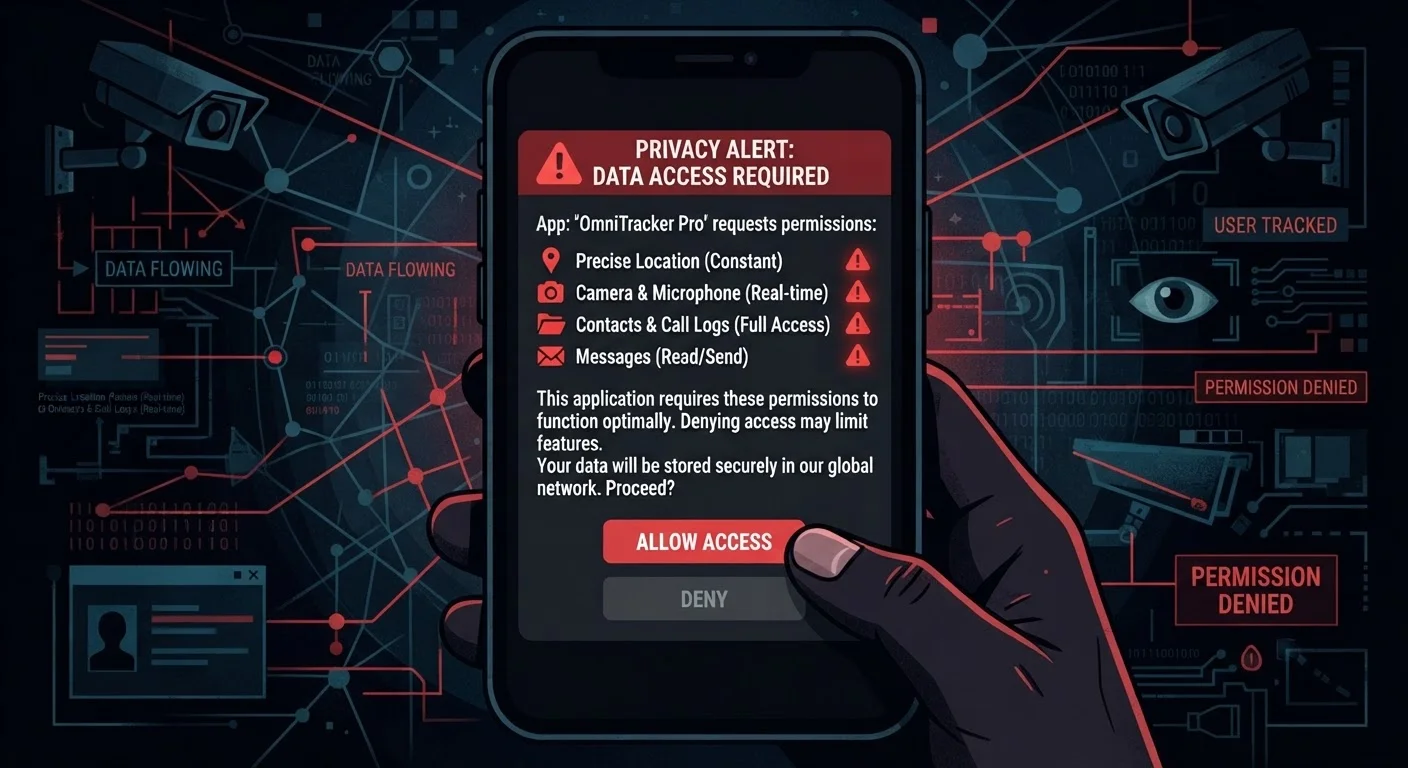
When you install an app and a permission dialog appears, most people tap "Allow" and move on. It's a fast reflex - and one that app developers count on. But permissions aren't just technical checkboxes. They are binding grants of access to some of the most sensitive data on your device: your location history, your conversations, your photographs, and the contact details of people in your life who never agreed to anything.
The core problem is a mismatch between what an app needs to function and what it asks for. A well-designed app requests only the access it requires. Many apps, however, request significantly more - sometimes to support advertising networks, sometimes to build behavioral profiles, sometimes without a clear rationale at all. Learning to spot that mismatch is one of the most practical privacy skills you can develop, and it pairs naturally with a broader privacy audit across your devices.
Apply the Purpose Test Before Tapping Allow
Before granting any permission, ask one question: does this app need this to do what I downloaded it for? If the answer isn't immediately clear, deny the request for now. Most apps will continue to work without non-core permissions, and you can always change the setting later in your device's privacy controls.
Permissions That Should Raise Concerns
The permissions below aren't all inherently dangerous - context is everything. A permission that makes complete sense for one app can be a serious red flag in another. Use the purpose test: does this app's core function actually require this access?
Always-On Location Access
There is a meaningful difference between an app knowing your location while you use it and tracking you continuously in the background. "Always on" location access - labeled as "Always Allow" on iOS and a persistent location toggle on Android - means the app can log where you are even when you haven't opened it in days.
Navigation and transit apps have a legitimate case for this. A flashlight app does not. When a utility, shopping, or social app requests always-on location, that data is often used for ad targeting or sold to data brokers, according to privacy researchers at the Electronic Frontier Foundation.
Background location access lets apps track you even when you haven't opened them in days.
Microphone Access Without an Audio Purpose
Microphone permission is required for voice calls, voice memos, and audio recording. It is not required for most games, retail apps, or productivity tools that have no audio feature. When an app in those categories requests microphone access, that is a legitimate concern worth investigating.
While persistent covert audio recording by apps is difficult to confirm at scale, the permission itself creates an unnecessary exposure. iOS and Android both display an indicator when the microphone is actively in use - but the more straightforward protection is simply not granting the permission if there is no clear reason for it.
If an app has no audio feature, there is no good reason for it to access your microphone.
Full Contacts List Access
Contacts access allows an app to read every name, phone number, email address, and any notes stored in your address book - including information about people who have never agreed to share their data with that app. This is one of the most privacy-invasive permissions available, because it exposes third parties, not just you.
Messaging and calling apps reasonably need contacts to function. Photo editors, weather apps, and most games do not. When permissions don't match purpose, it's a signal worth taking seriously as part of a broader app permissions audit.
Contacts permission exposes the private data of everyone in your address book, not just your own.
Camera Access in Non-Visual Apps
Camera access is expected in apps built for photography, video calls, or QR scanning. It is not expected in apps for budgeting, fitness tracking, or reading. An app that requests camera permission without a clear visual feature is worth scrutinizing carefully before granting access.
Some apps request camera permissions preemptively, anticipating features they may add later. That practice still creates an open door. The permission can be granted later if the feature becomes relevant - defaulting to denial costs very little in functionality.
Camera permission can be granted later if needed - denying it upfront costs almost nothing.
Access to Device Storage or Photo Library
Broad access to a device's file storage or full photo library means an app can scan, read, and potentially upload images and documents you never intended to share. iOS has introduced more granular photo permissions - including selecting specific images rather than the full library - which represents a meaningful privacy improvement. Android has added similar scoped controls in recent versions.
When an app requests full library or file access rather than accepting scoped access, that's worth noting. Reviewing what apps can see in your storage is a good habit covered in a broader everyday privacy practices guide.
Full photo library access can expose images and documents you never intended to share with any app.
Precise Location When Approximate Would Suffice
Modern mobile operating systems now distinguish between precise and approximate location. Precise location can pinpoint you within a few meters - useful for turn-by-turn navigation. Approximate location, accurate to roughly a neighborhood or city block, is sufficient for weather apps, local news feeds, or store finders.
When an app that only needs your general region requests your precise coordinates, that mismatch is a red flag. Selecting "Approximate Location" where available satisfies the app's functional need while limiting the granularity of data collected.
Approximate location satisfies most apps - precise coordinates are rarely necessary outside navigation.
Calendar and Email Access in Unrelated Apps
Calendar permissions expose appointment times, meeting titles, attendees, and locations - effectively a detailed record of your schedule and social connections. Email access can be even more sensitive, touching financial statements, medical communications, and personal correspondence. Productivity and scheduling apps may have legitimate needs for these. Most other app categories do not.
Before granting either permission, consider whether the app's core function genuinely requires it. If you're unsure how an app uses its permissions, checking the developer's privacy policy - however tedious - is the most direct way to find out, a practice reinforced in guides on evaluating new platforms.
Calendar access gives apps a detailed map of your schedule, meetings, and social connections.
How to Review Permissions on Your Device
On iPhone, go to Settings > Privacy & Security to see a list of every permission category and which apps have access. On Android, go to Settings > Privacy > Permission Manager for the same overview. Both platforms allow you to revoke access at any time without uninstalling the app. Permissions can always be re-granted if you find you need them later.
Making Permissions Work for You
The most important thing to understand is that you are in control. Denying a permission at install time does not permanently lock it out - you can revisit any permission through your device's settings whenever circumstances change. And granting a permission doesn't have to be permanent either; periodic reviews of what apps can access is a habit worth building.
On both major mobile platforms, you can see at a glance which apps have access to location, microphone, camera, contacts, and more - and revoke access with a single tap. This kind of regular check pairs well with broader efforts like reviewing social media privacy settings and browser privacy configurations. Treating app permissions as a one-time install decision, rather than an ongoing setting, is where most people leave unnecessary exposure on the table.